
MiChildSupport
State of MichiganParenting
4.110.00 Reviews
- Version
- 1.4
- Installs
- 10.00K
- Age Rating
- Everyone
Screenshots
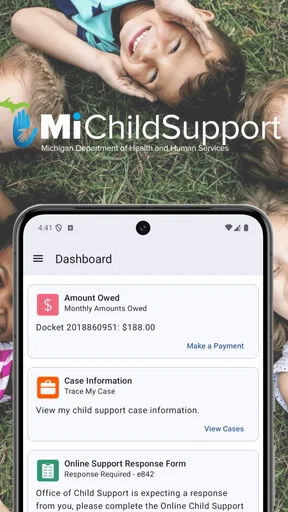
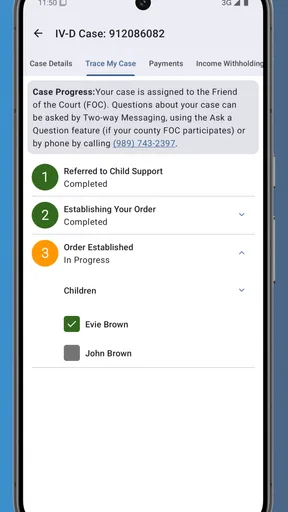
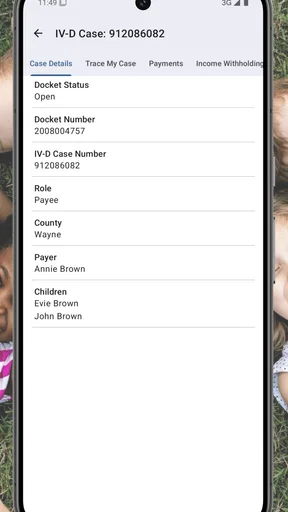
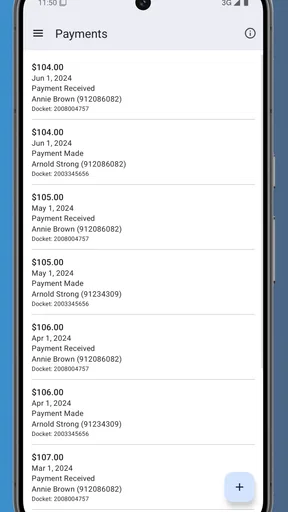
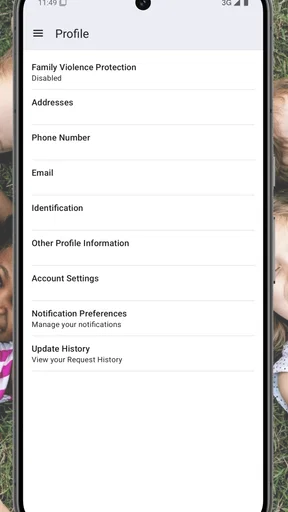
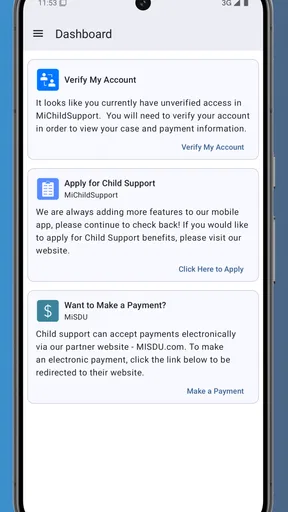
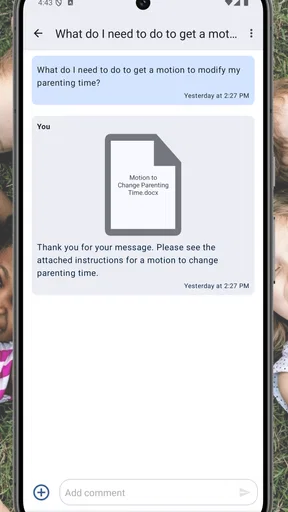
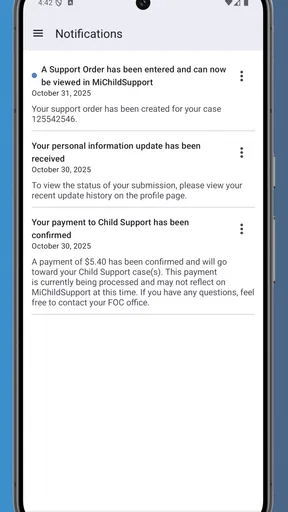
Our Review of MiChildSupport
 Analysis by Appyee
Managing a child support case can turn ordinary tasks into a frustrating search through websites, paperwork, phone calls, and saved messages. MiChildSupport is designed to put that case connection on a phone, and I found its appeal easy to understand: it is a free parenting app from the State of Michigan focused on child support rather than general family organization. That narrow purpose is also its biggest strength. It is not trying to be a calendar, co-parenting chat service, or budgeting tool.
My overall impression is that this is a practical companion for Michigan parents who already have a child support case and want a more direct way to stay connected with it. The app has an average rating of 4.1 from roughly 150 ratings, with more than 10,000 installs. Those figures suggest a modest but established audience, not a universal household app. I would judge it by how well it reduces case-related friction, not by expecting it to solve every parenting or financial problem.
What MiChildSupport is really for
The app sits in the parenting category, but that label can be misleading if you expect advice about raising children or tools for shared schedules. Its purpose is much more specific: helping users connect with a child support case handled in Michigan. The developer is the State of Michigan, which makes the app feel more like a government service channel than a private family-management product.
That distinction matters before you install it. A parent looking for meal ideas, custody calendar tools, private messaging, or a place to record school events will probably be happier with a dedicated family app. MiChildSupport is aimed at the administrative side of parenting, where the important questions are usually about a case, payments, notices, or the next step in dealing with child support responsibilities.
I also like that the app has a clear audience. Many official service apps become confusing because they try to cover every possible public program. This one has a recognizable job. If you are involved in a Michigan child support case, its focus is immediately relevant. If you are not, there is little reason to keep it on your phone.
The cost is straightforward
MiChildSupport is free to use. That makes the decision easier because there is no purchase price to weigh against the convenience of having case-related access on a mobile device. For an app connected to an essential family obligation, free access is meaningful: a parent should not have to decide whether a small recurring charge is worth checking an important case.
Free does not automatically mean frictionless, though. The real value depends on whether the app gives you useful access to your own case and whether you are comfortable using a state-operated mobile service for that purpose. I would not describe it as a free replacement for every child support interaction. Instead, I see it as a no-cost access point that can make routine checking more convenient.
That difference is important when deciding what to expect. The app’s price makes it worth trying if you are an eligible Michigan user, but it does not turn a complicated case into a simple one. Some situations still call for direct contact with the relevant office, careful reading of official notices, or professional legal advice. I would use the app to stay organized and informed, not as my only source of guidance during a dispute.
Where the value comes from
The strongest value is convenience. A phone is usually closer than a folder of documents, and an app dedicated to one case-related purpose can be easier to return to than a general browser bookmark. When a parent needs to check something during a busy day, reducing the number of steps between the question and the official service can make a genuine difference.
There is also a psychological benefit to having a clear place for this task. Child support matters can be stressful enough without wondering which website, message, or document contains the latest information. A focused app gives the process a defined home on the device. That does not remove the responsibility of reviewing details carefully, but it can make the routine feel less scattered.
One useful habit is to treat the app as part of a small case-management routine rather than opening it only when something goes wrong. I would check it when I already have time to read carefully, then save or record any important details in a separate personal system if needed. This avoids relying on memory after a quick glance and helps connect mobile access with the broader paperwork that a case may involve.
A second practical tip is to open it before an expected conversation about support. If you are speaking with the other parent, an office representative, or a legal professional, reviewing the relevant case information beforehand can help you ask a more precise question. The app is more valuable when it supports preparation than when it is used as a hurried substitute for understanding.
A realistic everyday use
Imagine a parent who is leaving work, has a question about the status of a child support matter, and does not want to wait until reaching a computer. With MiChildSupport installed, the parent can try the mobile route first, review the available case information, and decide whether the issue is routine or needs follow-up. That is a small scenario, but repeated small conveniences are exactly where an official mobile app can earn its place.
Another situation is preparing for a monthly household review. A parent may already be checking rent, school expenses, and childcare costs. Having a dedicated child support connection available on the same phone can make it easier to include that responsibility in the review instead of treating it as a separate task that gets postponed. I would still compare what I see with personal records, because financial planning should not depend on a single quick screen.
The less obvious advantage is continuity. A desktop website may be perfectly adequate when you are sitting at home, but mobile access is more useful when your schedule moves between work, school pickup, appointments, and errands. That is especially relevant for parents who do not have a predictable block of quiet time. The app’s value is therefore less about entertainment or customization and more about fitting an official task into real life.
How it compares with usual alternatives
The most obvious alternative is using a browser to reach the state’s child support service. A browser can be better when you need a wide view, want to compare several pages, or are handling a complicated issue that benefits from a larger screen. It also avoids adding another app to your phone. For occasional users, that may be enough.
MiChildSupport makes more sense when you prefer a dedicated entry point and expect to return to the service repeatedly. The trade-off is that a specialized app may feel limited beside a full website. It is not intended to replace a co-parenting platform, a personal finance app, a document scanner, or a legal information service. Those tools may offer richer organization, but they will not necessarily provide the same direct connection to a Michigan child support case.
Private co-parenting apps are another alternative, but they solve a different problem. They often focus on communication, calendars, expense sharing, or records between parents. That can be useful for coordinating daily family life, yet it should not be confused with accessing an official child support case. I would use a co-parenting app for shared logistics and MiChildSupport for the state-related side of the support process.
A paper folder remains useful too. It is not as convenient for quick access, but it gives you a durable place to keep notices, correspondence, and personal notes. My preferred approach would be a combination: use the app for convenient case access, keep important documents separately, and write down dates or questions that need follow-up. The app works best as one reliable piece of a broader record-keeping habit.
Trade-offs and points of friction
The narrow focus that makes MiChildSupport clear can also make it feel incomplete. Parents often experience child support alongside custody changes, school costs, medical bills, transportation, and disagreements with the other parent. An app centered on the support case will not replace the tools needed for those surrounding issues. I would avoid downloading it with the expectation that one installation will become a complete family command center.
Government service apps can also require more patience than consumer apps. When you are dealing with sensitive case information, the process may feel formal rather than friendly. I would not interpret a serious, administrative experience as a flaw by itself, but users who expect instant, highly personalized navigation may find it less relaxed than a commercial parenting app.
Another trade-off is the difference between viewing information and resolving a problem. Mobile access can help you identify what needs attention, but it does not guarantee that every complicated question can be settled inside the app. If something appears inconsistent, a payment issue is urgent, or the case involves a disagreement that requires interpretation, the sensible next step may be contacting the appropriate official channel or seeking qualified advice.
There is also a practical risk in treating an app as a permanent archive. Phones get replaced, accounts become inaccessible, and people forget where a particular detail was seen. I recommend keeping your own notes for important dates, questions, and documents rather than assuming the app alone is enough. This is not a criticism unique to MiChildSupport; it is a sensible precaution whenever mobile software is used for important family administration.
Version, compatibility, and first impressions
The current version is 1.4, and the app was released on December 19, 2024. It supports Android devices running version 5.0 or later, which covers a broad range of phones. I would still check that the device is updated enough for a smooth experience and that there is room for another official service app, especially on an older phone.
Its Everyone age rating is appropriate for a public-facing child support service. That rating does not mean every child needs the app; the practical audience is the parent or adult managing a case. I would keep the app on the device of the person who needs the case connection rather than installing it on a child’s phone simply because the age classification allows it.
One useful installation tip is to choose a moment when you can complete the setup without interruption. Case-related apps are not ideal for testing casually while rushing between errands. Have your relevant account or case details available, read each screen carefully, and avoid making assumptions based on a partial setup. A calm first session can prevent confusion later when you need information quickly.
Who will get the most from it
MiChildSupport is a strong fit for Michigan parents who already have a child support case and want a convenient mobile connection to that process. It is particularly sensible for people who check case information more than once, move between locations during the day, or dislike relying on a browser bookmark that is easy to lose among other tabs.
It can also help a parent who is trying to become more consistent with administrative tasks. The free price removes a financial barrier, while the focused purpose makes it easier to remember why the app is installed. I would recommend pairing it with a simple personal routine: check relevant information, note anything requiring action, and keep supporting documents in an organized place.
It is less suitable for someone outside Michigan, someone with no child support case, or someone searching for broad co-parenting features. It is also not the right sole tool for a parent facing a legal dispute, a complicated modification question, or an urgent problem that cannot wait for ordinary digital access. In those cases, the app may still be useful for background information, but it should not replace direct assistance.
Parents who strongly prefer desktop work may reasonably skip the installation. A larger screen can be more comfortable for reading detailed information, comparing records, or handling several tasks at once. Since the app is free, trying it carries little financial risk, but keeping it is only worthwhile if the mobile format actually saves you time.
My verdict on the free download
I recommend MiChildSupport to the specific audience it serves: Michigan parents who need a convenient connection to a child support case. The free access is a clear advantage, and the focused design makes more sense than forcing users to manage an important state service through a collection of unrelated tools. Its value comes from accessibility and routine convenience, not from entertainment, broad parenting advice, or advanced family organization.
I would approach it with realistic expectations. Keep personal records, review information carefully, and use official follow-up channels when a question goes beyond routine access. If your main need is communication with the other parent, a shared calendar, or household expense tracking, choose a tool built for that job instead. If your need is staying connected to a Michigan child support case from a phone, this is a sensible app to try.
After weighing the trade-offs, my recommendation is simple: download it if the case connection is relevant to your family, and skip it if you are looking for a general parenting platform. For the right Michigan user, the fact that it is free and purpose-built makes the experiment worthwhile. It will not remove every difficult part of child support administration, but it can make one important part easier to reach and manage.
Verdict
Strengths of MiChildSupport
- Provides quick access to child support case information.
- Helps users review payment history while away from a computer.
- Useful mobile option for managing support-related tasks.
- Official state service can make information more trustworthy.
- Convenient for checking updates without calling an office.
Limitations of MiChildSupport
- Availability and features may vary by participating state.
- Some actions may require separate account verification.
- Older devices may experience compatibility or performance issues.
- Sensitive financial data requires careful protection on shared devices.
- App errors or maintenance could temporarily limit access.
Other Releases by State of Michigan
View All
Michigan DNR Hunt Fish
Sports3.6
Similar Picks in This Category
View All
Family Space
Motorola Mobility LLC.3.9

شرطة الأطفال - مكالمة وهمية
Oub Apps4.1

Findmykids: Parental Control
LETEM LTD4.6

Pregnancy + | Tracker App
Philips Electronics UK Limited4.8

Policía de niños - para padres
Kids police4.7

Pregnancy App
Amila4.9
Frequently Asked Questions
What is MiChildSupport, and who is it designed for?
MiChildSupport is a mobile service designed to help parents and guardians manage child-support information through a convenient digital interface. Depending on your case and location, it may provide access to payment details, case information, notices, contact options, and other support-related resources. It is primarily intended for people involved in an eligible child-support case, rather than for general financial management.
Can I use MiChildSupport to make or receive child-support payments?
MiChildSupport may allow eligible users to review payment activity and, in some situations, access payment-related services. However, the exact options depend on the child-support agency, case status, and region connected to your account. Before relying on the app for an urgent payment, check the available instructions carefully and confirm whether payments must be completed through a separate official service or approved method.
What information do I need to register or sign in to MiChildSupport?
Registration and sign-in requirements can vary according to the agency operating your child-support case. You may be asked for identifying information, case details, an email address, a phone number, or verification codes. Because this app handles sensitive family and financial information, use accurate details and keep your login credentials private. Avoid signing in on shared devices unless you log out afterward.
Is MiChildSupport safe to use for personal and case information?
MiChildSupport is intended for sensitive child-support information, so users should download it only from an official app store or an agency-provided link. Use a strong, unique password, enable device security, and install updates when available. Even with security protections, no online service is completely risk-free. Do not share verification codes, passwords, or screenshots containing private case and payment information.
What should I do if MiChildSupport does not show my case or has incorrect information?
If your case, payment history, balance, or contact details appear missing or incorrect, first check that you signed in with the account connected to the correct case and that the app is updated. Temporary synchronization or maintenance issues can also affect displayed information. If the problem continues, contact the relevant child-support agency through its official support channels, since app support may not be able to change legal case records.
